
Lead Scoring
Every lead in Kenzsys is automatically assigned a quality score between 0 and 100. The score is the AI's best estimate of how likely the lead is to become a retained client. Use it to prioritize your intake queue so the highest-quality leads get a callback first.
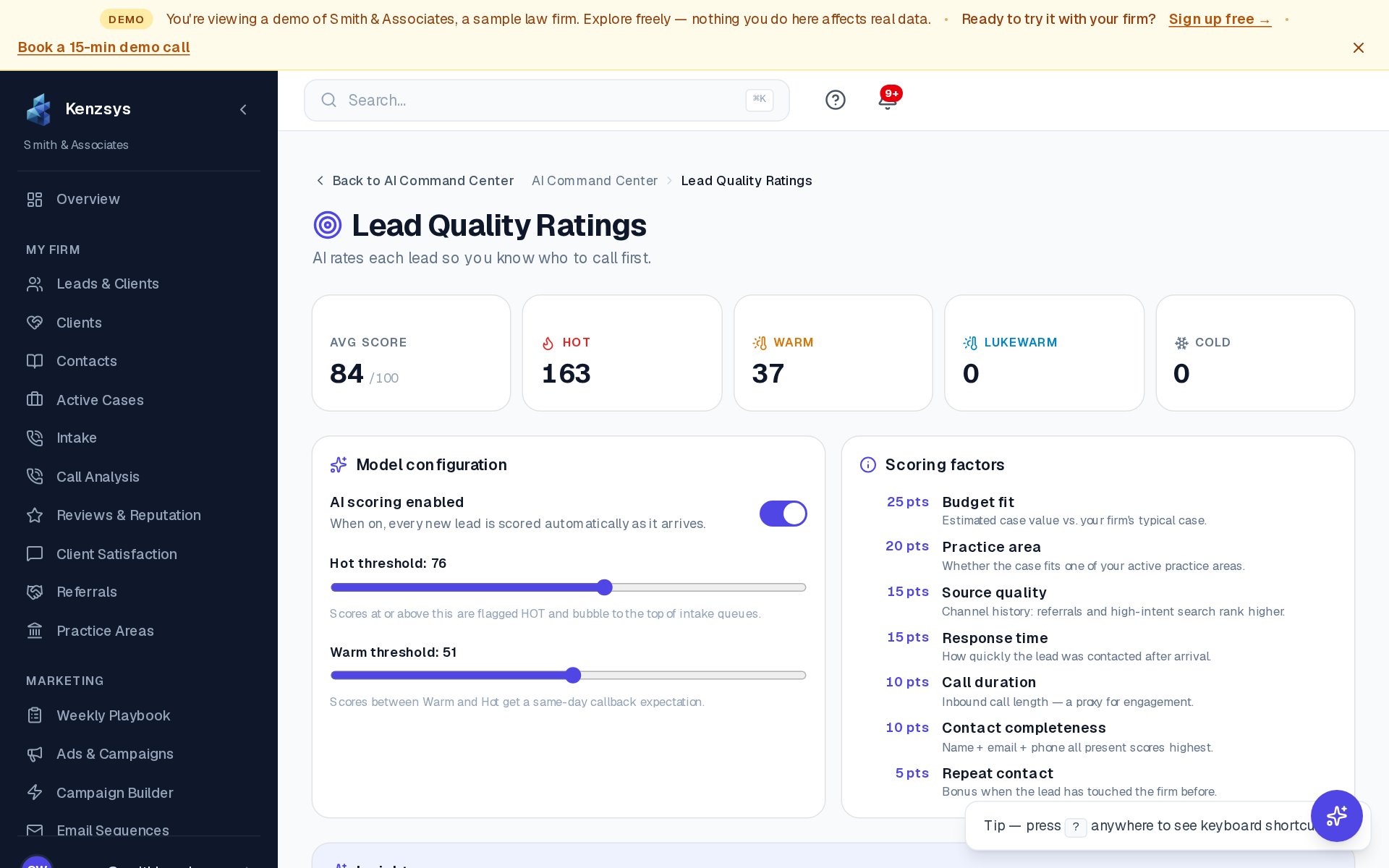
What does the score mean?
The score is a probability estimate normalized to a 0-100 scale. As a rough guide:
- 80-100 (Hot) — call back immediately. Strong signal across multiple dimensions.
- 60-79 (Warm) — call back same day. Worth attorney time.
- 40-59 (Cool) — call back within 24 hours. Mixed signals.
- 0-39 (Cold) — likely a wrong-number, robocall, sales pitch, or out-of-area inquiry. Review quickly to confirm before discarding.
What signals feed the score?
Kenzsys combines four categories of signal:
- Call quality. For CallRail leads, this includes call duration (longer calls score higher), sentiment from the transcript (the AI reads the call and detects intent), and whether the caller used relevant legal vocabulary.
- Channel quality. Leads from high-converting channels for your firm (typically paid search and Google Business Profile) score higher than directory referrals or unsolicited cold calls.
- Geographic match. Leads located in your service area score higher than out-of-state callers. Kenzsys uses the caller's area code and any geographic information mentioned during the call.
- Practice area match. Calls that mention vocabulary related to your stated practice areas score higher than off-topic calls.
Where to see the score
The score appears in three places:
- The Leads table. Sort by the Score column to put hottest leads at the top. Use the score-range slider in the filter bar to hide cold leads entirely.
- The lead detail page. Each lead shows the full 0-100 score as a colored badge at the top, plus a breakdown of how each category contributed. Click Why this score? to see the per-signal scoring.
- The Kanban cards. Each lead card on the Pipeline view shows the score in the corner so your intake coordinator can prioritize on sight.
How to use scores in daily intake
The fastest workflow for a busy intake coordinator:
- Open the Leads page filtered to New stage, sorted by score descending.
- Work the list top to bottom — highest-score leads get the first callback.
- Move each lead to Contacted as you reach them.
- Review the bottom 20% (scores below 40) once at the end of the day to confirm they really are spam or wrong-number calls before discarding.
Adjusting scoring weights
Owners and admins can tune scoring under Settings > Lead Scoring. The page shows four sliders — one for each signal category — that let you weight signals more or less heavily for your firm. Most firms never need to touch the defaults.
Examples of when to adjust:
- If your firm only takes cases within a single county, raise the geographic match weight.
- If your CallRail recording quality is poor (no transcripts), lower the call quality weight so it doesn't penalize legitimate leads.
- If you've expanded into new practice areas, retrain the model by clicking Recalibrate at the bottom of the page — the AI re-fits to your recent retained-client outcomes.
Calibration: The scoring model improves as you mark more leads Retained or Not Retained. The first 50 leads use generic legal-industry weights; after that, your firm's specific patterns start dominating the score.