
Importing Leads
Use the CSV importer to bring in historical leads from a spreadsheet, an old CRM, or a one-time export. This is the right tool for migrating from another platform or for backfilling leads that came in before you connected an integration.
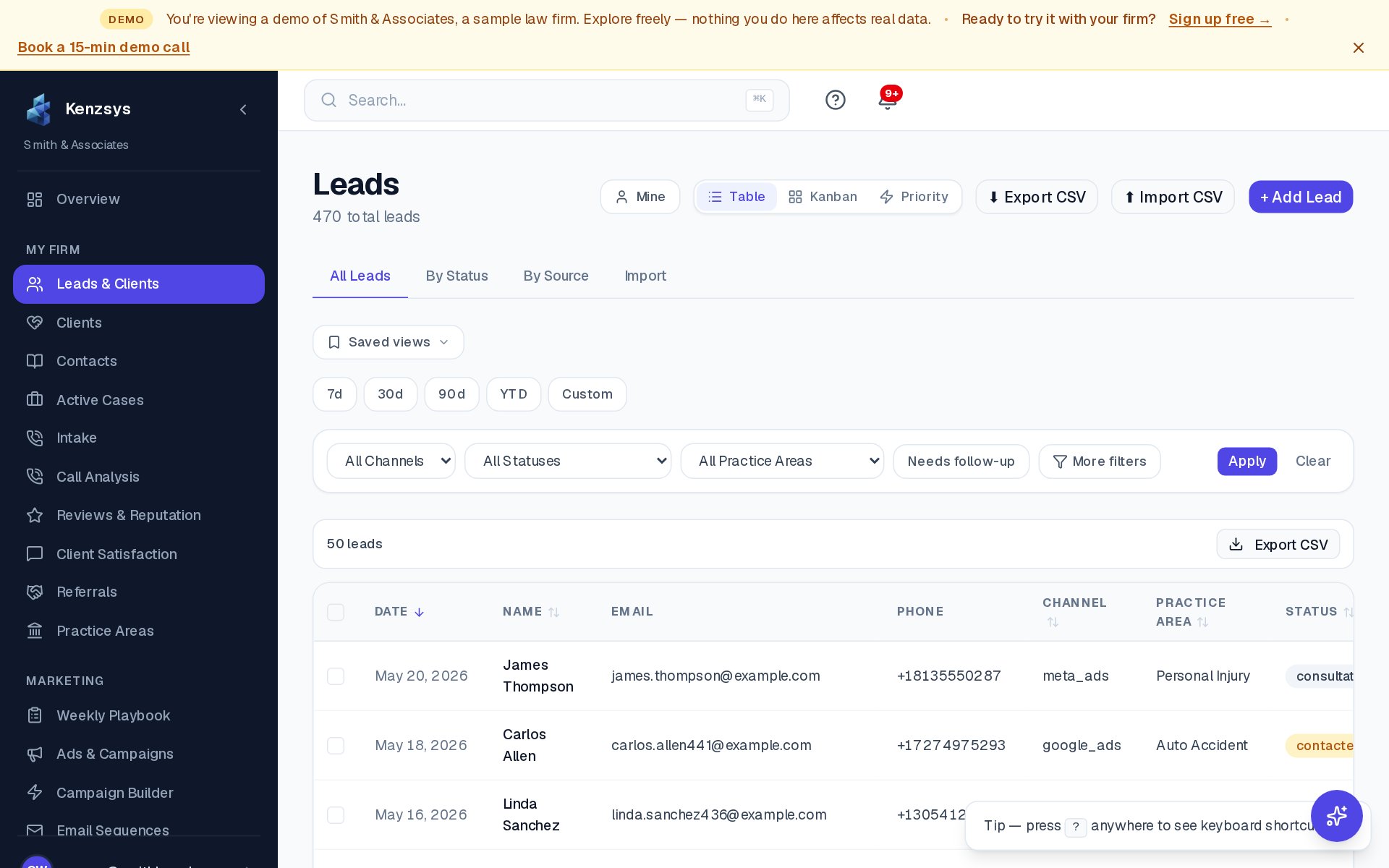
Step 1 — Open the importer
Click Leads in the left sidebar. In the top-right corner of the Leads page, click the Import button. The import dialog opens.
Step 2 — Download the CSV template
Click Download template in the import dialog. You'll get a file named
kenzsys-lead-import-template.csv with the correct column headers in row 1. Open
the file in Excel, Google Sheets, or Numbers.
Step 3 — Fill in your data
The template has four required columns and several optional ones.
Required columns:
- name — full name of the lead.
- email or phone — at least one is required per row. Both is better.
- source — where the lead came from. Use one of:
Google Ads,Meta,CallRail,GBP,Organic,Direct,Referral,Manual. - date — the date of first contact, formatted
YYYY-MM-DD.
Optional columns:
- practice_area — e.g.
Personal Injury,Family Law. - stage — pipeline stage to set on import. Defaults to
New. - notes — any free-text notes the importer should attach to the lead.
- campaign — name of the campaign that produced the lead.
Date format is strict: Dates must be YYYY-MM-DD (for example 2026-03-15). Excel often reformats dates on save — open the CSV in a text editor to confirm the format before uploading. Other formats will cause the row to error.
Step 4 — Upload the file
Back in the import dialog, drag your CSV into the upload area or click Choose file. Kenzsys reads the file and shows a preview of the first 10 rows so you can verify the columns mapped correctly. If a required column is missing, you'll see a red banner at the top of the preview telling you which one to add.
Step 5 — Run the import
Click Import leads. A progress bar shows how many rows have been processed. For files under 500 rows the import usually finishes in under 30 seconds. Larger files run in the background — you can close the dialog and the import will continue.
What happens after upload
Each row becomes a new lead in Kenzsys. The AI assigns a quality score within a few minutes using whatever signals are available (channel, geography from area code, notes). Imported leads appear in the Leads table with a small Imported badge so you can distinguish them from real-time inbound leads.
No duplicate detection yet: The importer creates a new lead for every row regardless of whether the email or phone already exists in your account. If you're re-importing a file you've already uploaded, delete the previous import first under Settings > Data > Imports.
Common errors
- "Missing required column: date" — your CSV doesn't have a column named
date. Add one and re-upload. - "Invalid date format on row 7" — that row's date isn't in
YYYY-MM-DDformat. Fix the row and re-upload. - "Row 23 skipped: no email or phone" — at least one contact method is required. Add an email or phone to the row.
- "Unknown source: 'Yelp'" — the source value isn't one of the recognized options. Use a valid source or change it to
Referral.