
Dashboard Overview
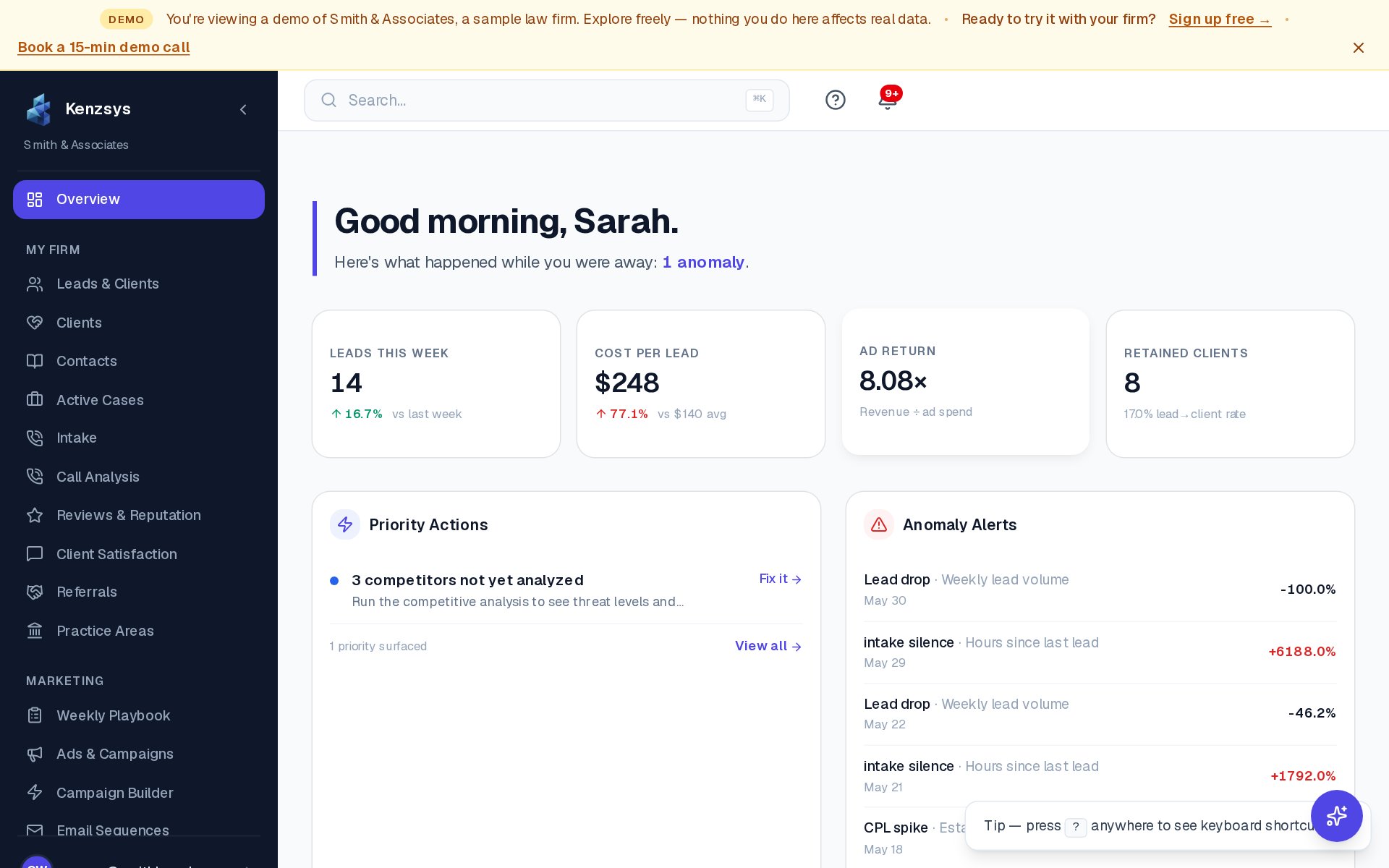
The dashboard is the home screen everyone on your team sees after signing in. It surfaces the handful of numbers that actually matter for a law firm — how many leads came in this week, what they cost, whether they turned into clients — alongside AI-generated alerts and recommendations.
What is the dashboard for?
The dashboard answers one question: is our marketing producing retained clients, and which channels deserve more budget? Every section on the page is in service of that question. Most owners and managers spend 2 to 5 minutes here every morning and only drill into the deeper pages (Leads, Reports, Integrations) when something on the dashboard needs attention.
What sections does the dashboard contain?
From top to bottom: a greeting and date, four headline KPI cards (Leads This Week, Cost Per Lead, Ad Return, Retained Clients), a Priority Actions card listing your top tasks for the week, an Anomaly Alerts card highlighting unusual movement, and a Performance Trends chart showing leads by channel over time.
Sections in this guide
- Dashboard Tour — a row-by-row walkthrough of every card on the home screen.
- KPIs — Leads, Cost, ROI, Clients — what each headline metric means and how it's calculated.
- Widgets & Customization — how the Priority Actions, Anomaly Alerts, and Performance Trends widgets work, including how to filter by date.
Tip: The date range picker in the top right of the dashboard controls almost every number on the page. Set it to "Last 30 days" for a typical weekly review, or "This month" for in-flight tracking.