
Getting Started with Kenzsys
Welcome to Kenzsys. This guide walks you through the first session with the platform so you can move from a blank account to a live dashboard showing real leads and real spend in under an hour.
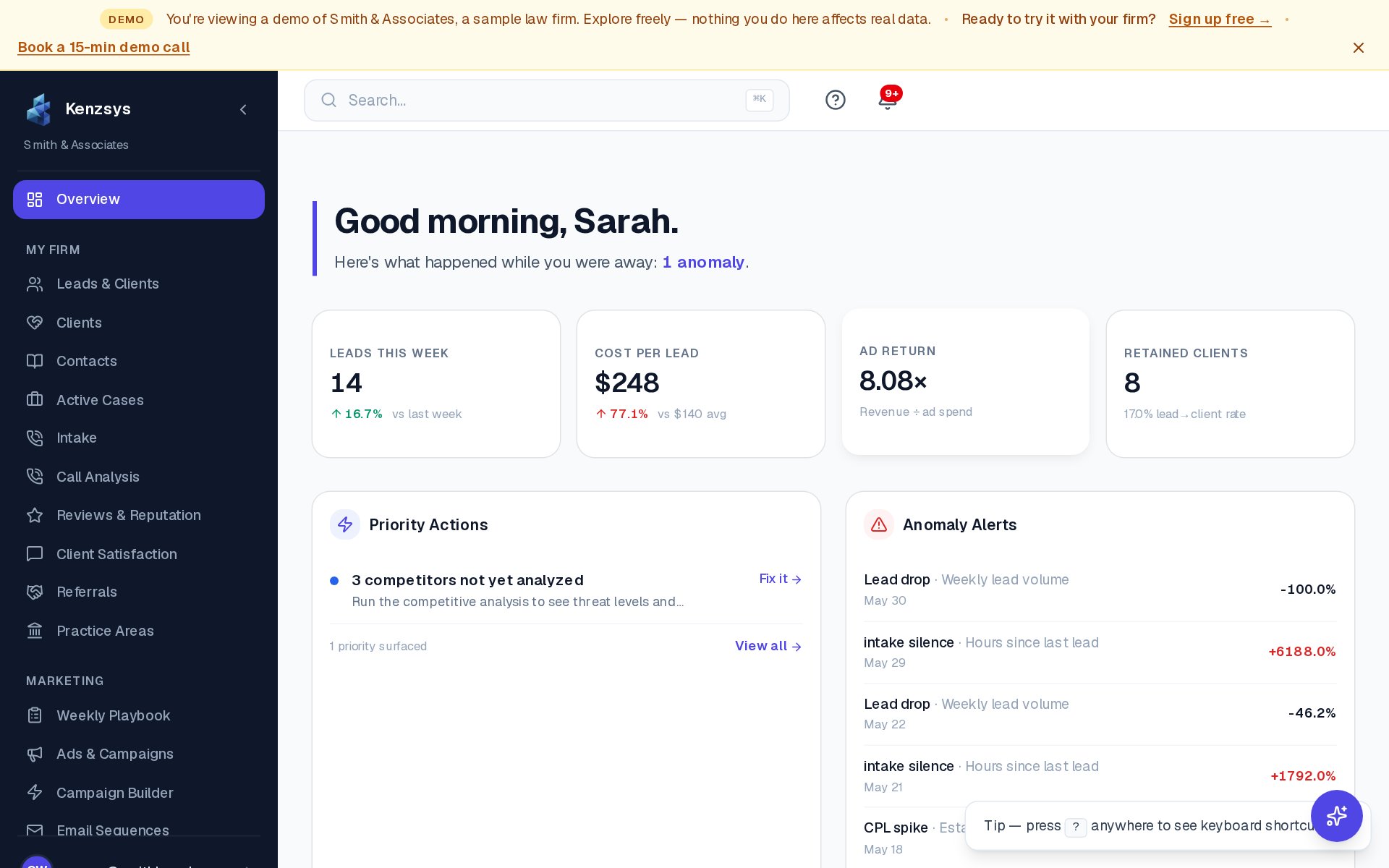
What is Kenzsys?
Kenzsys is an all-in-one marketing intelligence and intake dashboard built specifically for law firms. It pulls data from your ad platforms, call tracking, case management software, and Google Business Profile into a single place. Once connected, you can see exactly which marketing channels produce retained clients — not just clicks and calls.
A typical firm uses Kenzsys for three things: tracking inbound leads from every source in one pipeline, measuring true cost-per-retained-client across campaigns, and reading weekly AI-generated reports that explain what changed and what to do about it.
What you'll set up in your first session
A clean setup follows three checkpoints. Each one unlocks the next, so it's worth doing them in order rather than skipping ahead.
- Confirm your firm details. Open Settings > Firm and enter your firm name, practice areas, and office address. This information is used to scope local visibility data and match Google Business Profile listings.
- Connect at least one integration. Go to Settings > Integrations and connect Google Ads, CallRail, Clio, or Google Business Profile. We recommend starting with CallRail or Google Ads because they produce the most visible data on day one.
- Invite your team. From Settings > Team, send invites to your intake coordinators, marketing manager, and any attorneys who should see reports. Assign each person a role: Owner, Admin, or Member.
Tip: Connect CallRail first if you have it. Call data flows in within seconds of hanging up, which means your dashboard stops looking empty almost immediately after setup.
How long does setup take?
Most firms finish the three checkpoints in 20 to 40 minutes. The actual data backfill from integrations runs in the background and usually completes within 15 minutes for CallRail and Google Business Profile, and within an hour for Google Ads and Clio (which pull up to 13 months of history).
Who should do the setup?
Whoever has admin access to your marketing accounts. The first person to sign up becomes the account Owner, which is the only role that can manage billing. If your firm's managing partner will own billing, have them create the account, then invite your marketing coordinator or agency as an Admin to handle the rest of setup.
Where to go next
- Onboarding — the full step-by-step first session walkthrough.
- Connecting Integrations — detailed instructions for each provider.
- Dashboard Tour — what every section on the home screen means.